



Step 1: Payer Preparations
1. Collect Employee Information: Request each emplyee to provide:
· Full name(matching Alipay real-name authentication)
2. Distribute Payee Guide: Forward the 'Payee Quick Operation Guide' below in Step 2 to all employees a to all employees, requiring completion 3 working days before the first salary payment.
Step 2:Payee Quick Operation Guide
Task1: Activate 「闪速收款」Service, Forward your primary alipay account
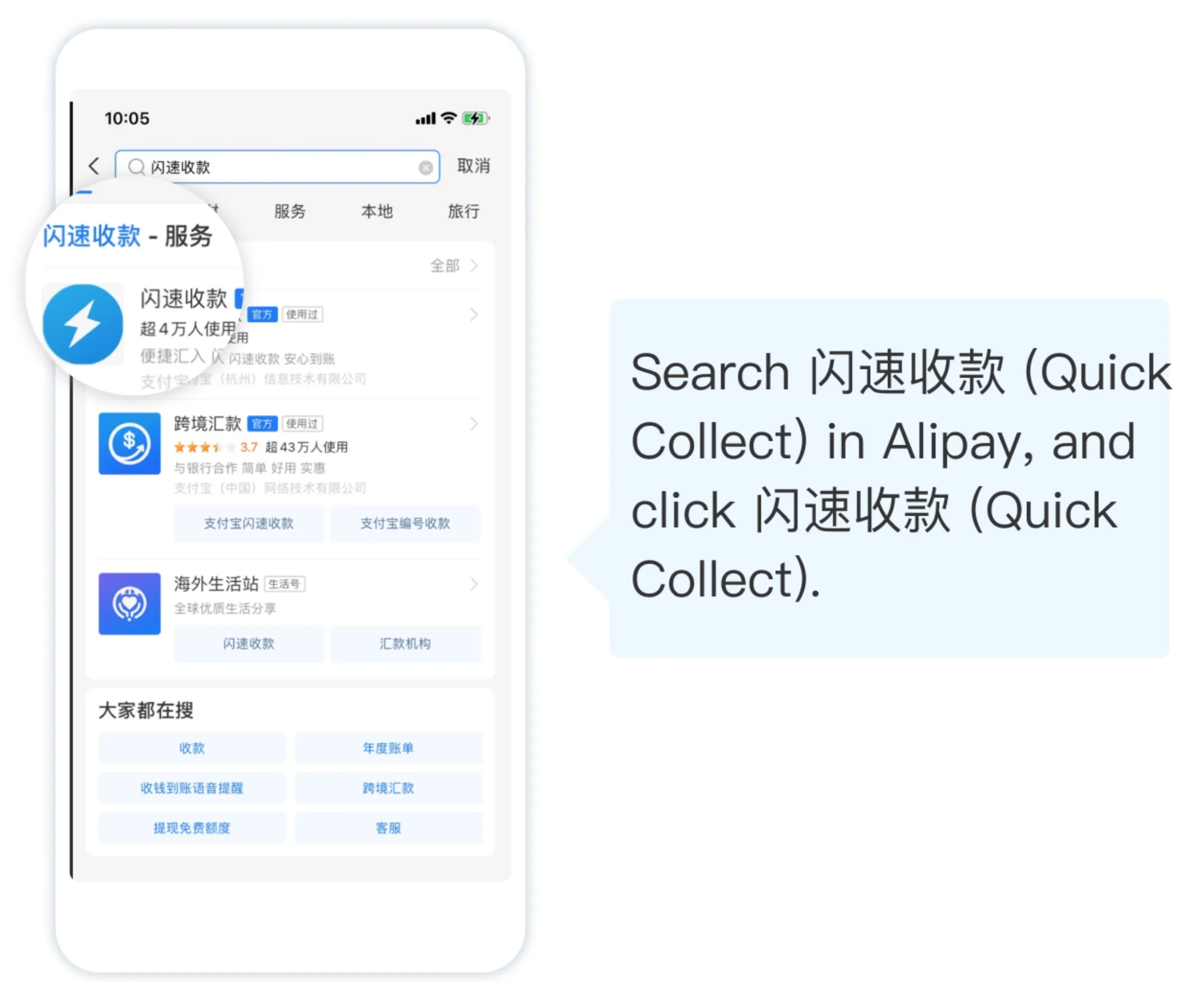
· Open the Alipay APP and search for 「闪速收款」at the top;
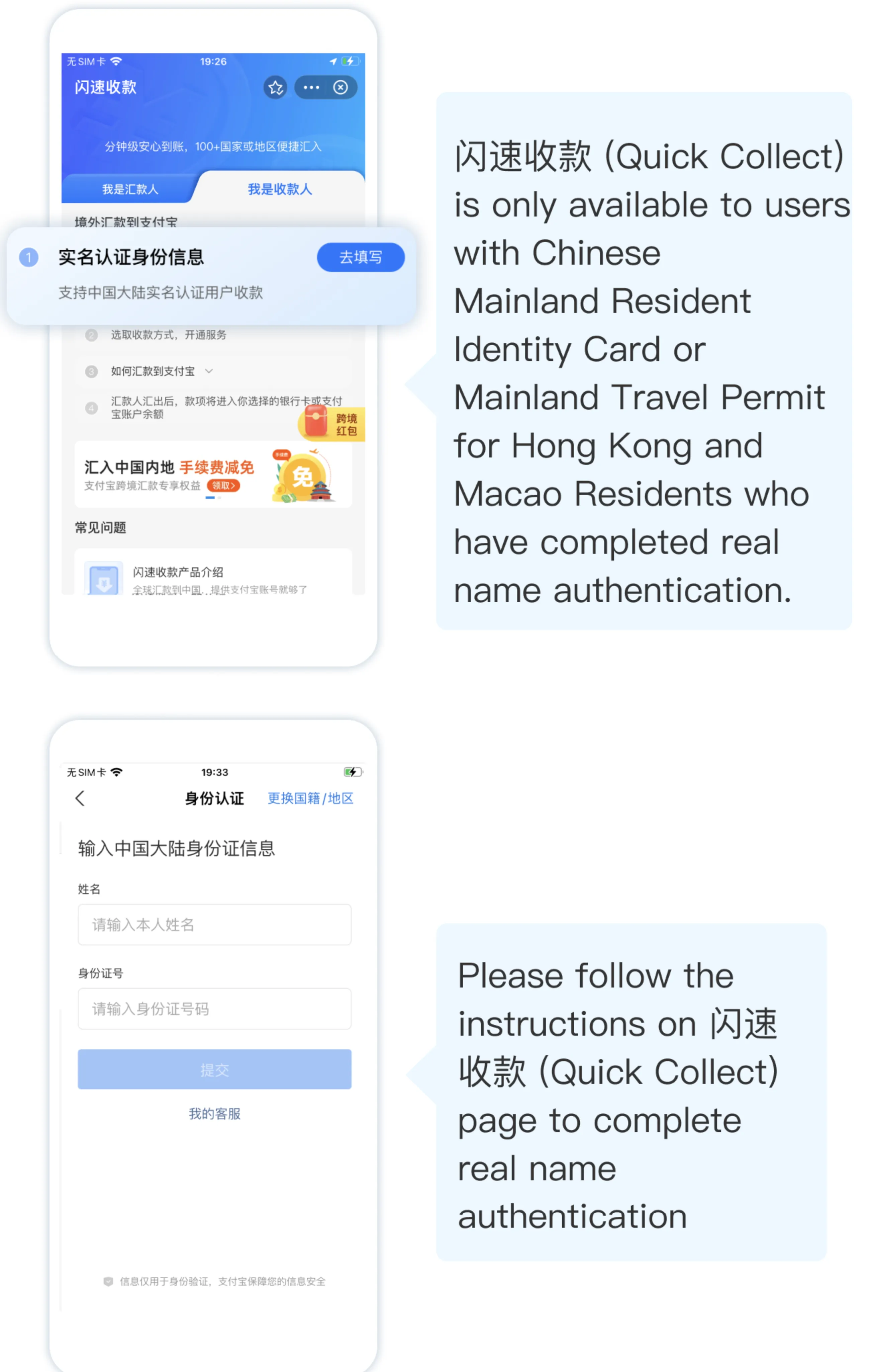
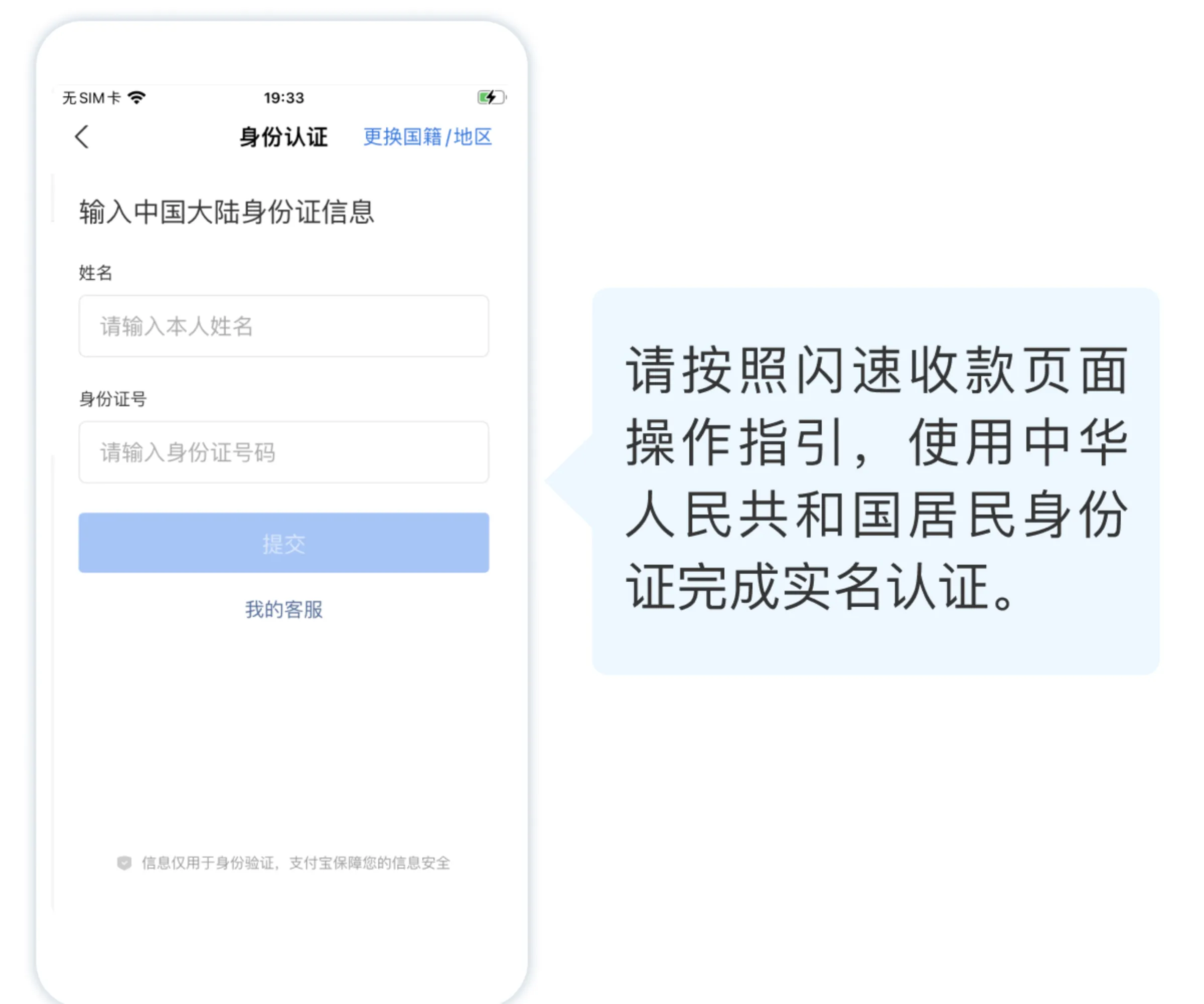
· Click 'I'm the Payee' and complete real-name authentication as prompted
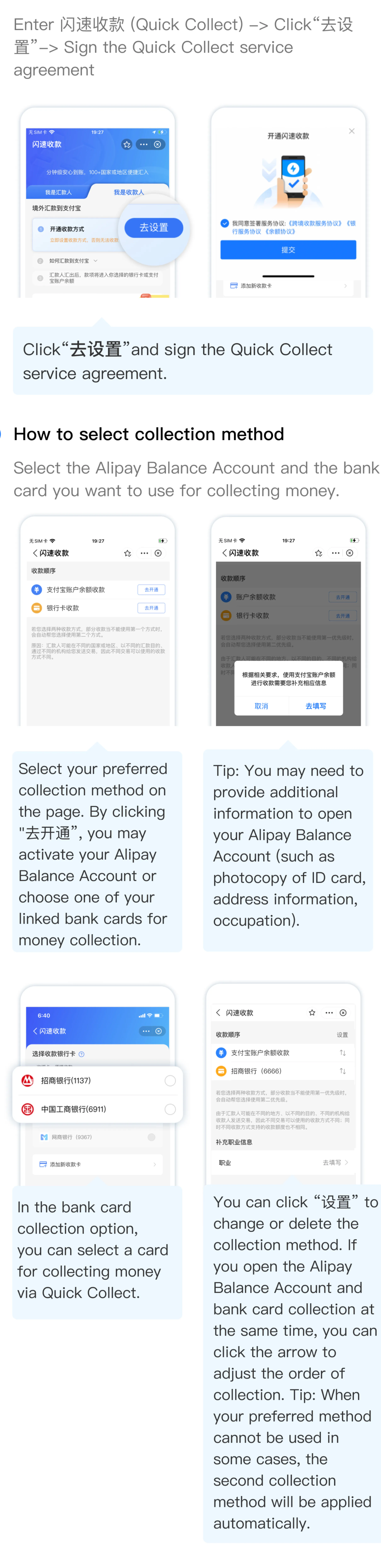
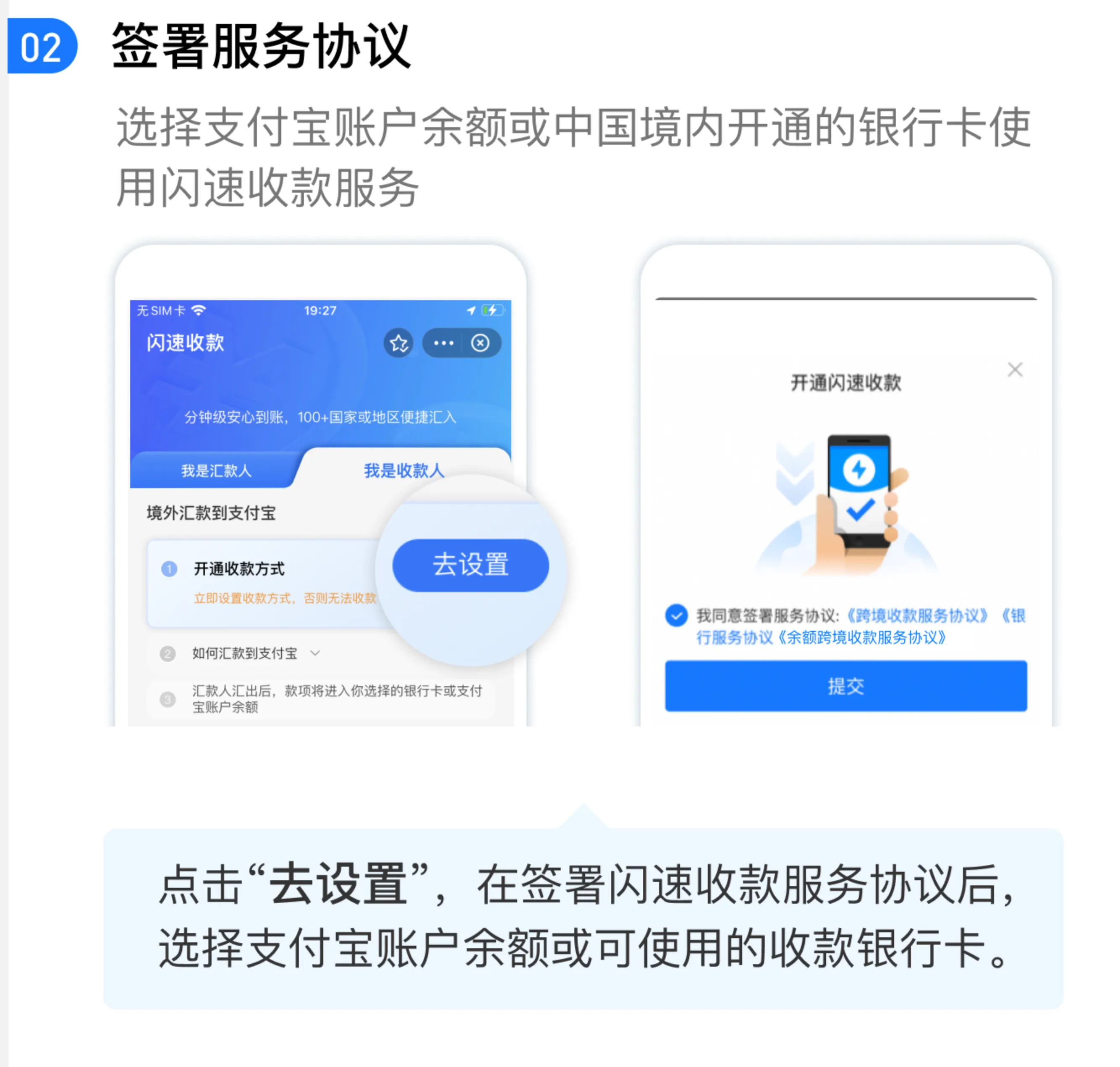
· Activate the 「闪速收款」Service
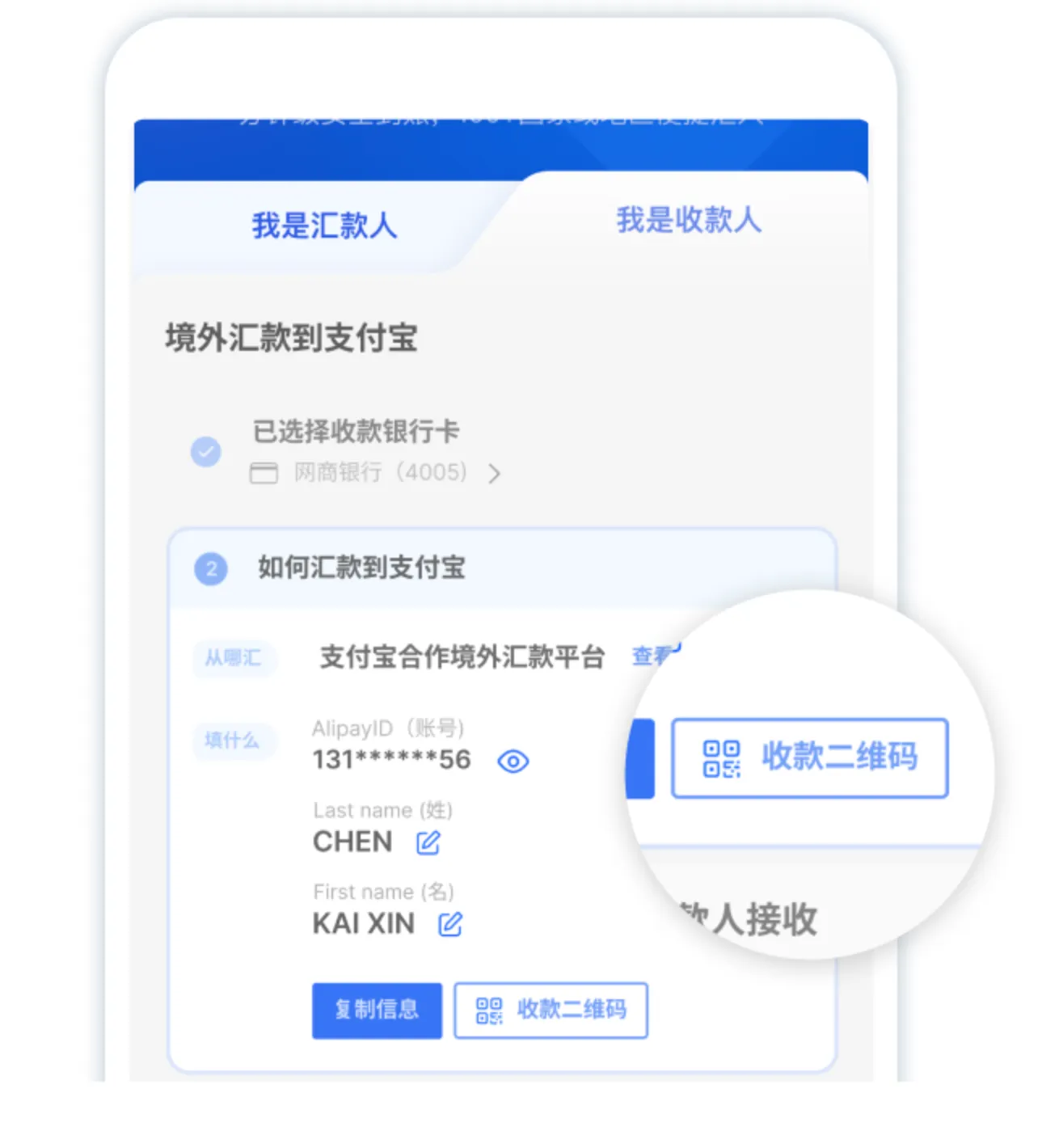
· Back to「闪速收款」mini-program homepage, you can view and copy your 'Receiving Alipay Account'
Task2: Upload Documents (If Required)
If you receive an Alipay push notification for risk control:
· Click the link to enter the 「闪速收款」mini-program
· Upload document according to the guidelines within 48 hours
· Review will be completed within 48 hours
⚠️ You must upload materials within 48 hours of receiving notification, otherwise the payment will be returned to the
employer via the original payment method;
⚠️ Materials must be authentic and valid.
Step 3:Payer Follow-Up Actions
1. Confirm all employees have completed account activation per (Step 2:Payee Quick Operation Guide).
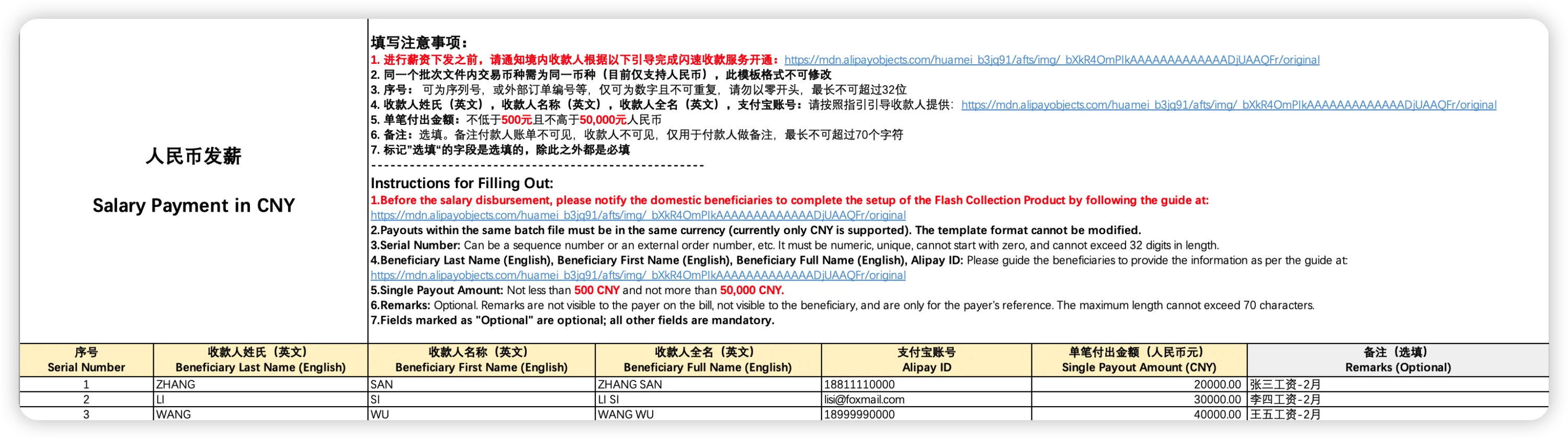
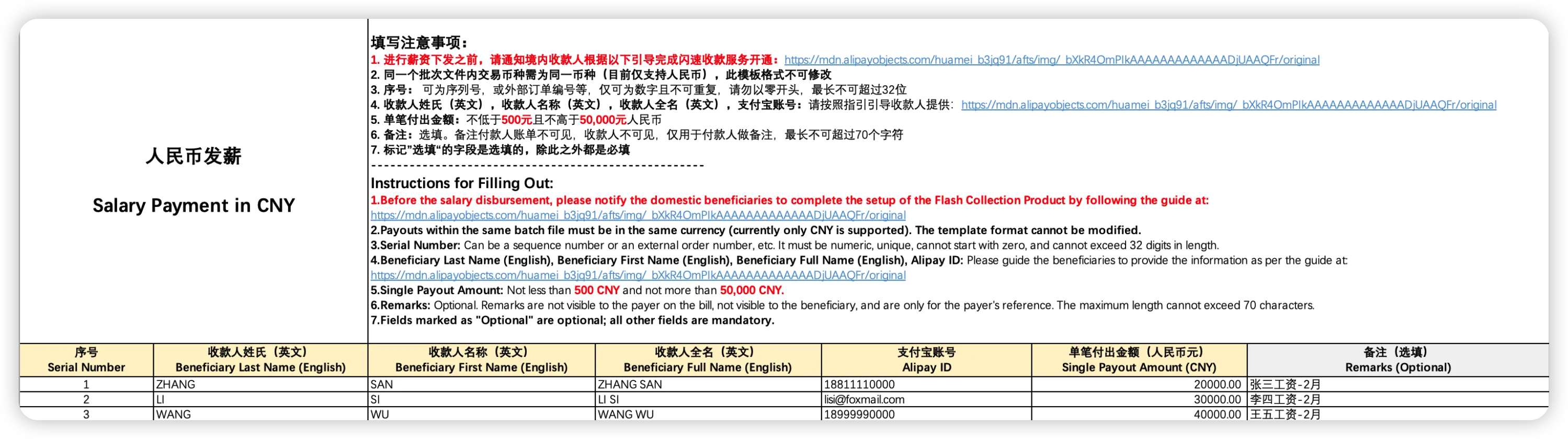
2. Accurately enter collected employee information into the Zyla-provided “Payroll Template.” After uploading, initiate payroll payments.
3. If receiving a “Transaction Failed” notification, check the platform for failure reasons. Contact employees to correct details and resubmit payments.
一、付款人前置准备
1. 收集员工信息:向所有中国籍员工收集「姓名+常用支付宝账号」(员工姓名需与支付宝实名认证姓名一致,如何查询常用支付宝账号可参考下方「二、收款人操作指引」)
2. 将下方「二、收款人操作指引」转发给员工,并要求员工在首次薪资支付前3个工作日完成所有操作
二、收款人操作指引
1. 开通闪速收款服务,转发常用支付宝账号
· 打开支付宝app-顶部搜索「闪速收款」小程序
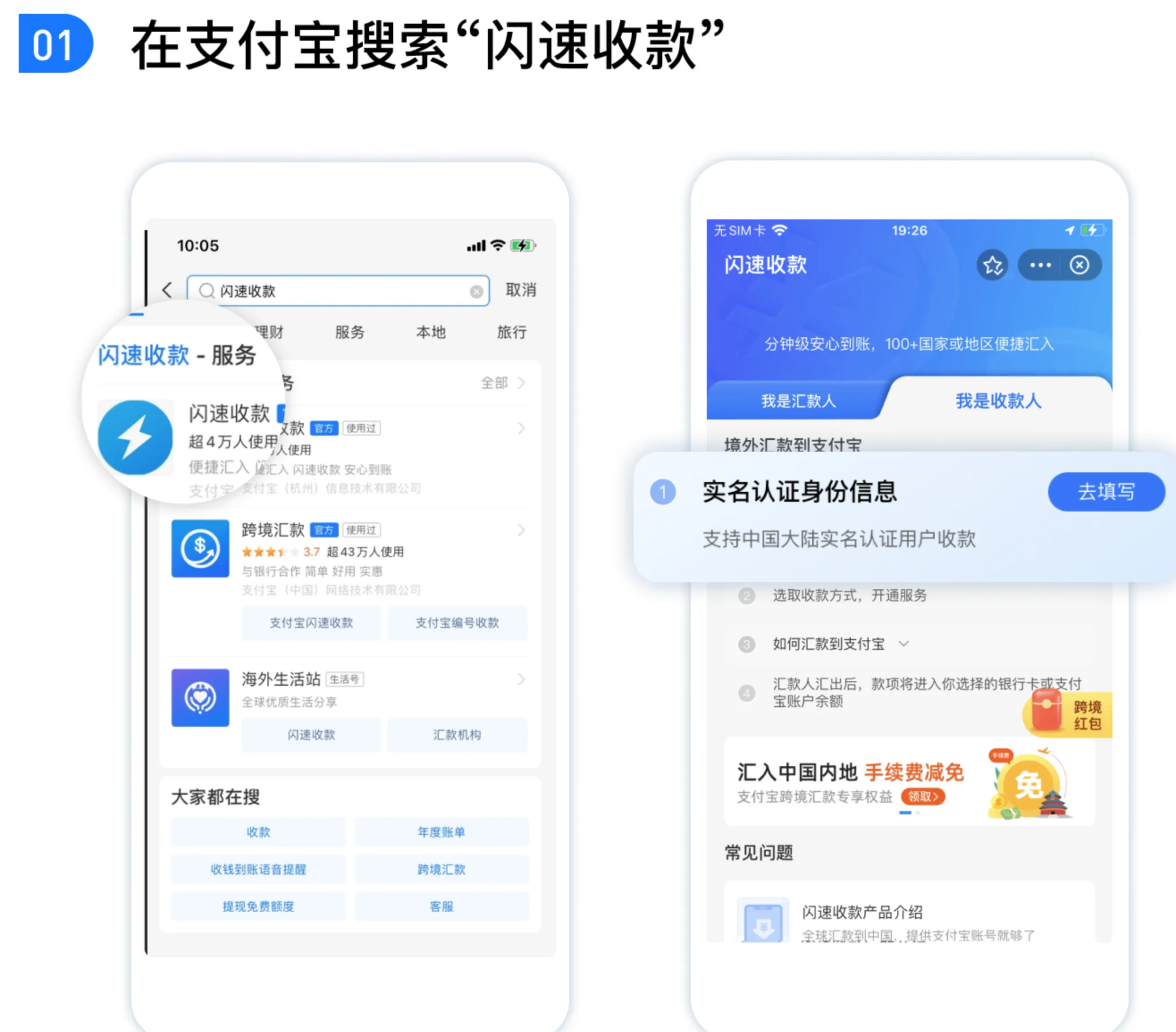
· 点击「我是收款人」- 按提示填写完成实名认证
· 签署服务协议 & 选择收款方式
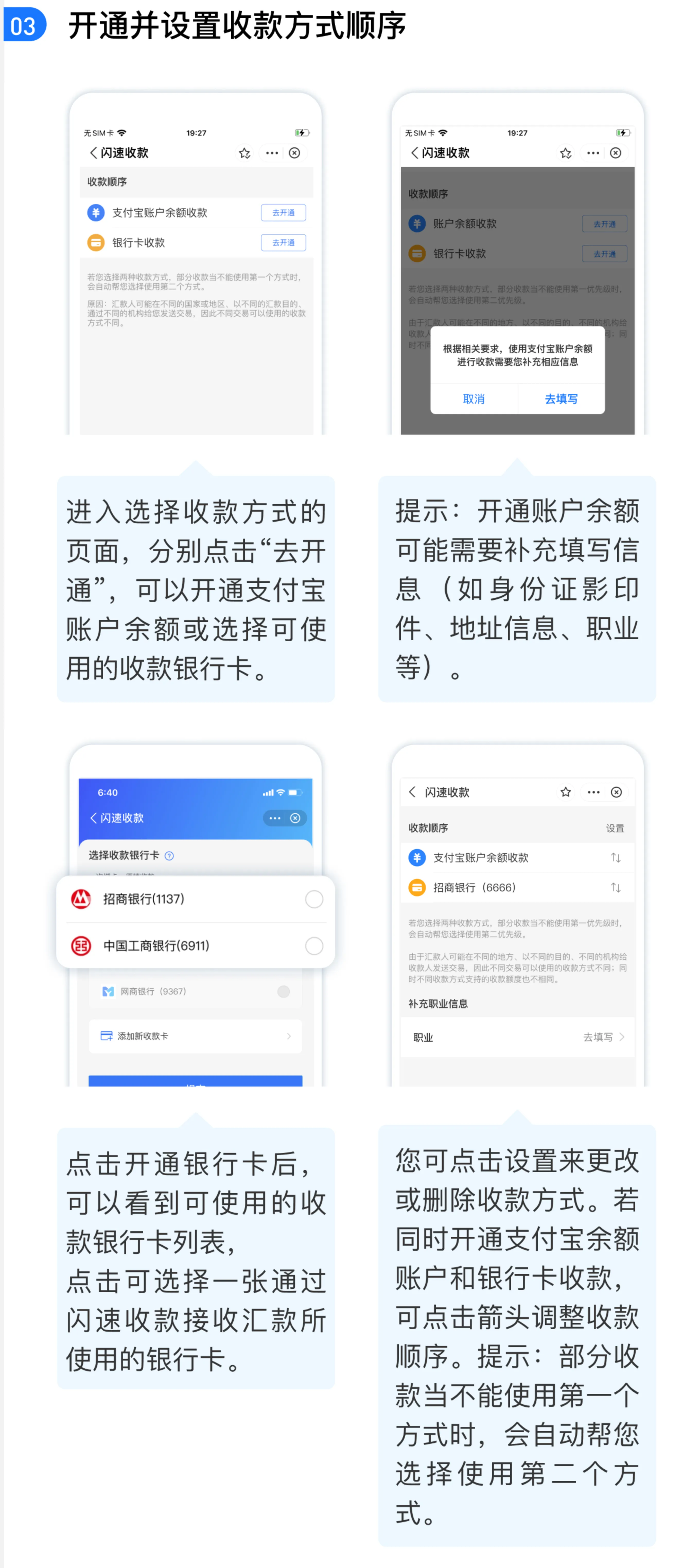
· 再次进入「闪速收款」小程序,即可查看并转发你的「收款支付宝账号」至付款人
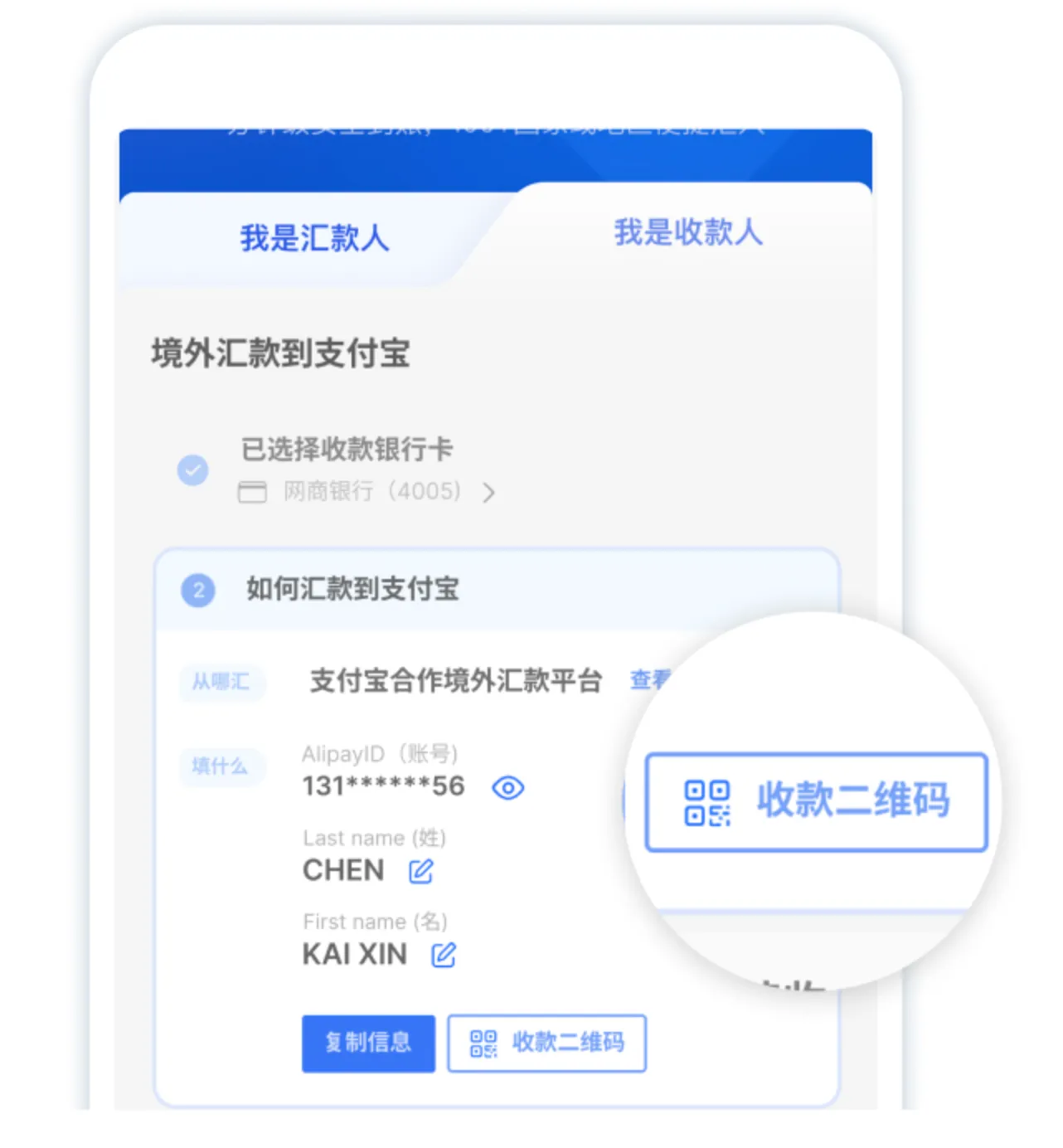
⚠️ 若未开通,薪资将延迟到账,需补开后才能到账
2. 配合风控材料上传(若收到通知)
若薪资触发银行风控,您会收到支付宝APP的推送通知及短信通知:
· 点击通知链接,进入「闪速收款」小程序
· 根据指引上传材料
· 审核将在48小时内完成
⚠️ 务必在收到通知后的48小时内上传,否则该笔薪资将原路退回雇主;
⚠️ 材料需真实有效
三、付款人后续操作
1. 确认所有员工已按照(二、收款人操作指引)完成账号开通
2. 将收集到的员工信息准确填入Zyla提供的「Payroll Template」,上传后,选择发薪币种,并发起薪资支付
3. 若收到「交易失败」通知,可联系商服查询具体失败原因,可在修正相关信息后重新发起支付